

TrelloFix Just Got Smarter
We’re excited to announce the release of the latest TrelloFix update, making it the ultimate feedback tool for Trello teams.
With this new version, you can:
- Switch between Desktop, Tablet, and Mobile views
- Capture screenshots with annotations
- Send feedback instantly into your connected Trello board
This makes TrelloFix the most responsive and easy-to-use way to collect and manage client or team feedback.

What’s New in This Update
Responsive Device Switching
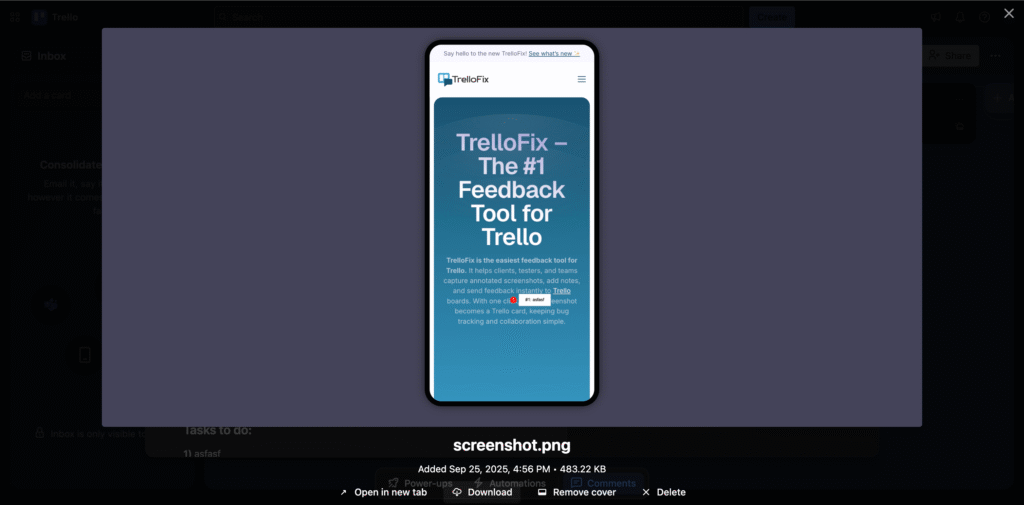
Preview your site in Desktop, Tablet, or Mobile mode before capturing feedback.
One-Click Feedback to Trello
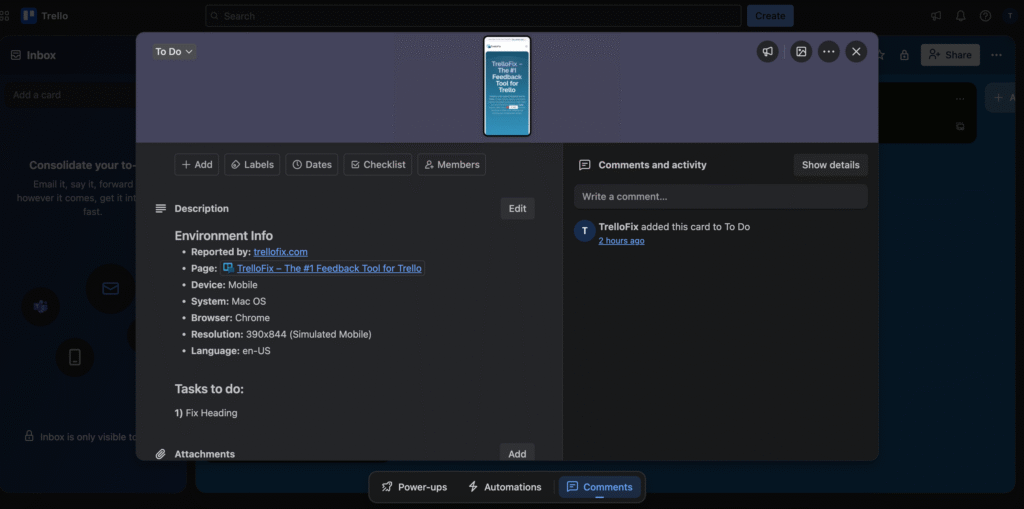
Take a screenshot, add notes, and send it directly into your Trello board and list in one click.
Clearer, Faster Bug Reports
Feedback is now device-specific, reducing misunderstandings between clients, designers, and developers.
Why Agencies Love TrelloFix
Managing feedback across emails, chat apps, and spreadsheets creates delays. TrelloFix solves this by being the only feedback tool designed 100% for Trello.
| Built for Trello only | ✅ |
| Screenshot + annotations | ✅ |
| Works with WordPress | ✅ |
| Device-responsive feedback | ✅ |
| One-click Trello card creation | ✅ |
Who Should Use TrelloFix?
- Agencies & Freelancers – Collect client feedback without messy emails.
- Developers & QA Testers – Get device-specific bug reports instantly.
- Product Teams – Keep all feedback organized inside Trello.
- Remote Teams – Collaborate faster with context-rich Trello cards.
How to Use the New TrelloFix Features
- Update to the latest version of TrelloFix.
- Choose your device view: Desktop, Tablet, or Mobile.
- Capture a screenshot and add annotations if needed.
- Click Send → your feedback appears instantly in Trello.
Conclusion: The #1 Feedback Tool for Trello
With its new responsive device switcher and one-click Trello integration, TrelloFix makes feedback faster, smarter, and clearer than ever before.
👉 Try the new version today at trellofix.com (DOWNLOAD NOW)